Business chat

A customer chat for your site, ready in minutes. No per-message cost.

With WhatsApp Business per-message pricing, the cost of serving customers grows with every conversation. With wchat, your site gets its own chat: it's installed with one line of code and your team answers from a panel with a shared inbox, automatic replies and email notices.

  • No per-message cost
  • Installed with one line of code
  • Notices so no message gets lost

The problem

Customer Chat for Your Website

For companies that serve customers over WhatsApp Business and see costs rising with per-message pricing.

Before

  • WhatsApp Business costs that grow with every message sent to customers.
  • A single number handled by several people, with no way to know which inquiries went unanswered.
  • The same simple questions (hours, appointments, addresses) answered by hand over and over.
  • Inquiries that get lost when no one is watching the phone.

After

  • Your own chat on your website, with no per-message cost, installed with one line of code.
  • A shared inbox: the whole team sees which conversations are waiting for a reply.
  • Automatic replies that answer simple questions and hand off to a person when needed.
  • Email notices so no message gets lost, plus a daily summary of what's pending.
  • Coming soon: API integration with your ERP or CRM.

The solution

What's included

Chat on your website

Customers write from your site, with nothing to install and no sign-up. The conversation is saved so they can pick it up later and, if they leave an email, they get the reply even after leaving.

Shared inbox

Your whole team handles the same conversations, with their status, unread messages and each visitor's details.

Automatic replies

Option menus and data requests that answer simple questions and hand off to a person when needed.

Email notices

Instantly when someone asks to talk to a person, after 10 minutes if no one has read it, and a daily summary of what's pending.

Team by invitation

Adding someone only takes their email. Two roles: agent and administrator.

Coming soon: API integration

The chat will be able to query your systems (ERP, CRM, booking) to answer with real data: order status, available appointments or account balance.

The chat on this site runs on wchat: try it with the button at the bottom right.

How it works

One line of code on your site. Everything else, from the panel.

The chat runs on wchat, our chat platform for websites. You add the widget to the pages where you want the chat to appear, and from then on your team manages everything from the wchat panel, without touching the site.

<script src="https://wchat.com.ar/widget.js" data-site="YOUR_KEY" async></script>

Shared inbox

Your whole team handles the same conversations. Each one shows its status, unread messages and the details the visitor left (phone, email and your company's own fields).
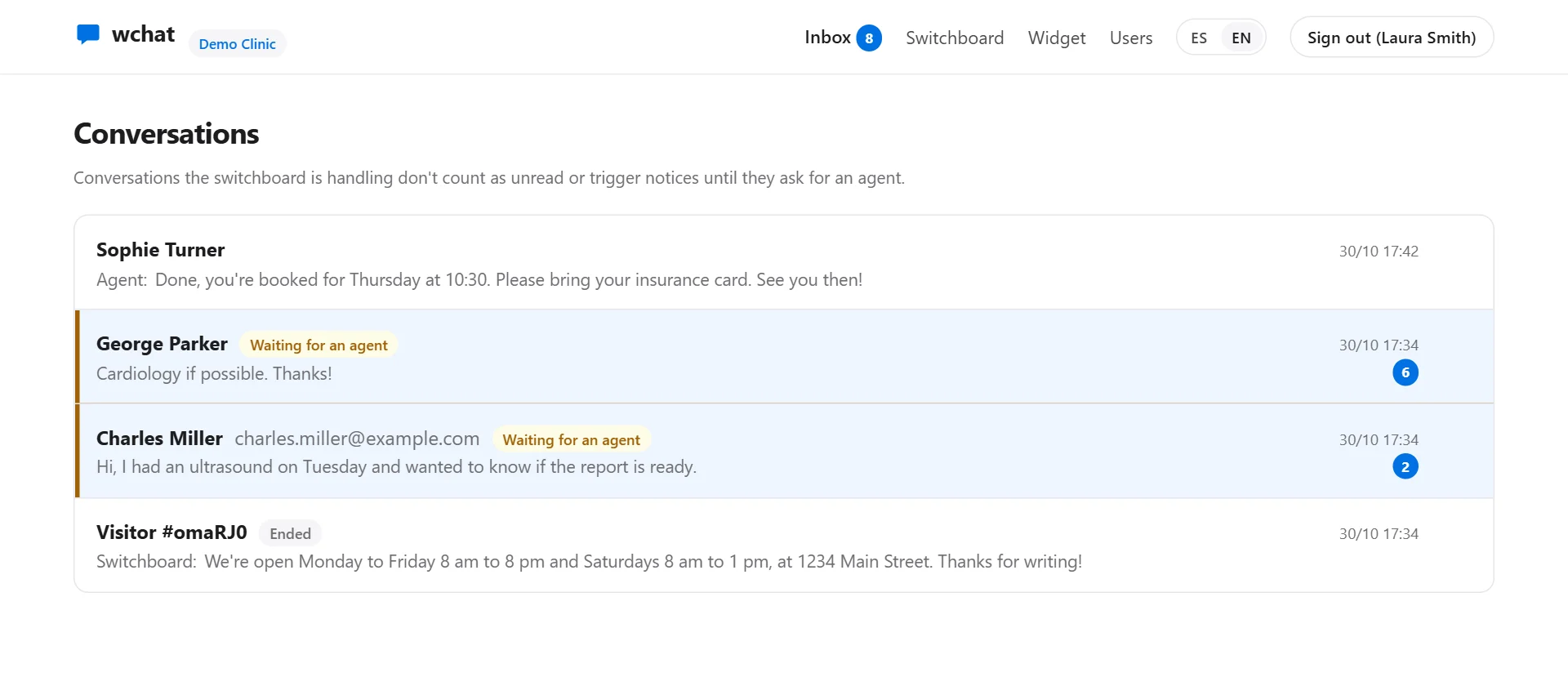
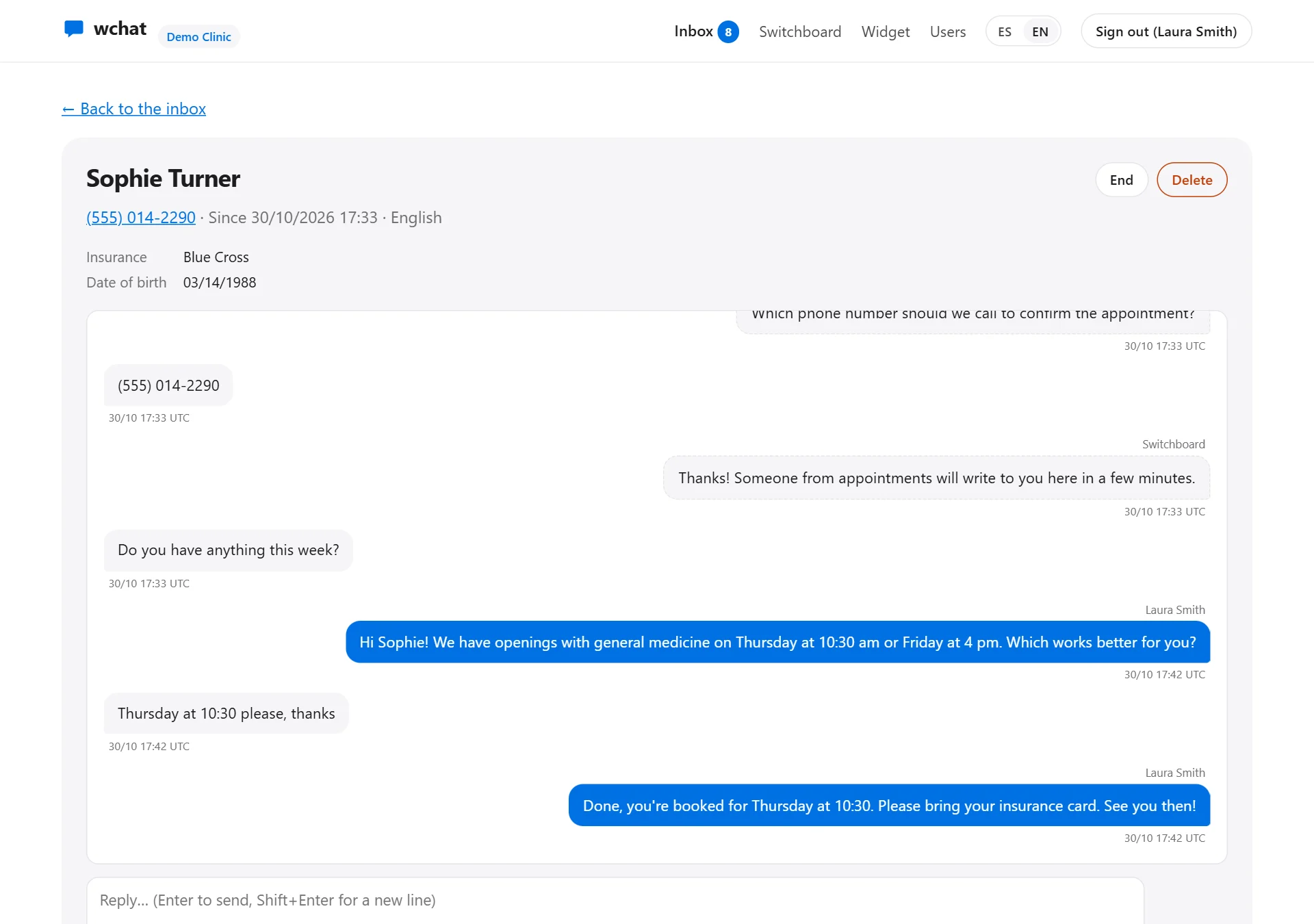
  • Live replies from the panel.
  • If the visitor leaves an email, they get the reply even after leaving the site.
  • English and Spanish, in the panel and in the chat.
wchat panel conversation inbox Conversation with the visitor's details and the agent's replies

Automatic replies

A step-by-step flow your team builds: option menus, data requests and handoff to a person when needed. Simple questions (opening hours, addresses) are answered automatically, and the rest reach the inbox with the details already filled in.
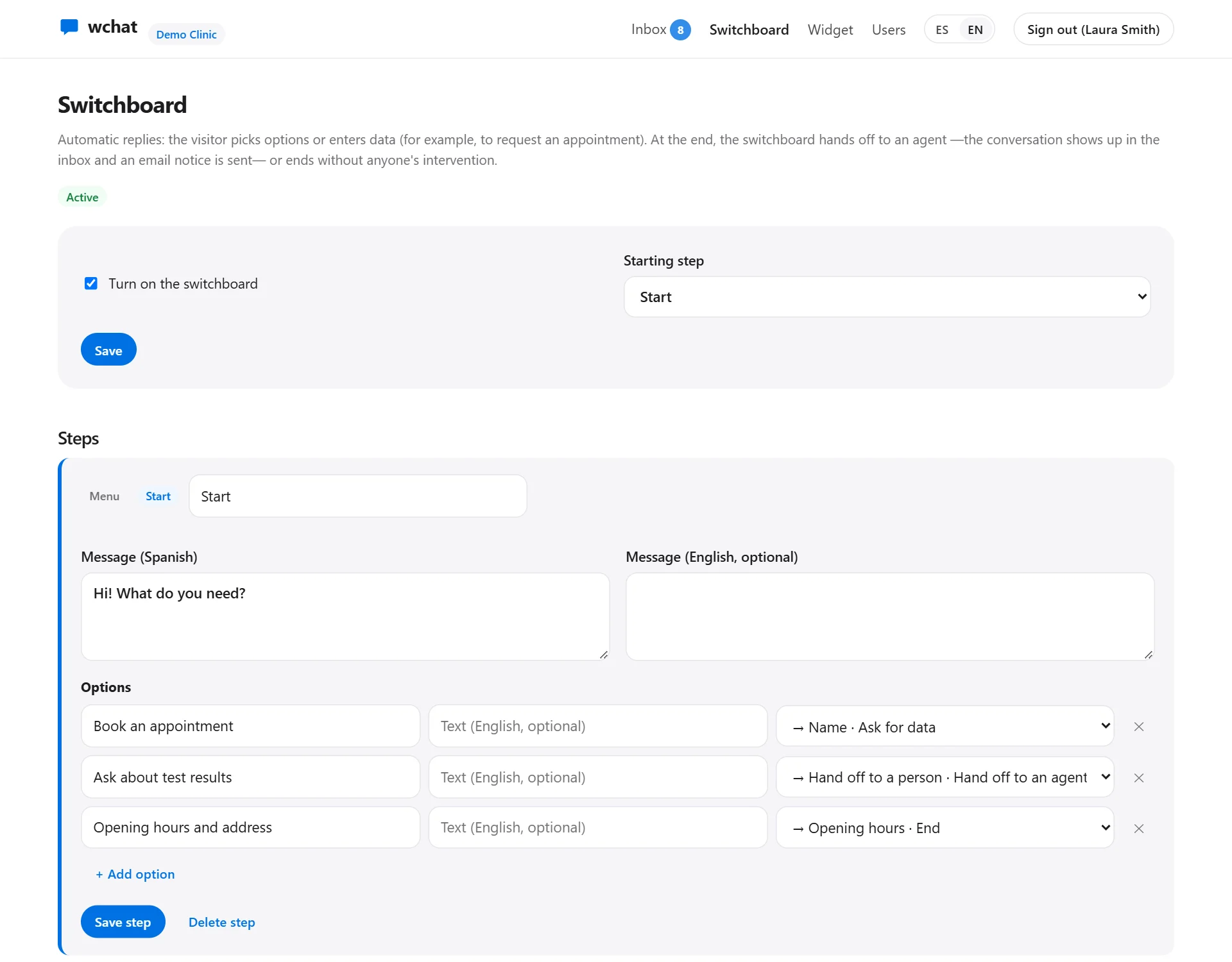
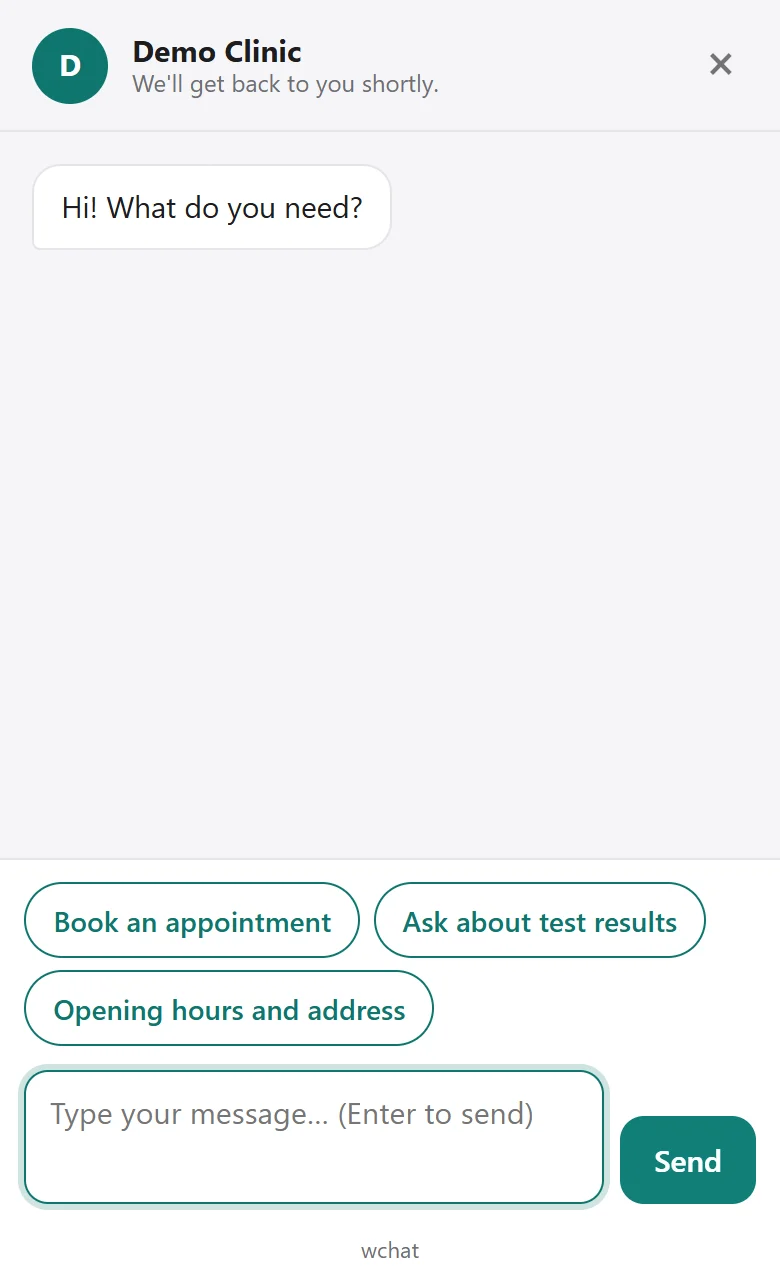
  • Asks for name, email, phone, dates, numbers or custom fields (for example, ID number or insurance).
  • While the flow is handling a conversation, it triggers no notices and doesn't count as unread.
Automatic reply flow editor The chat on a phone, with the menu options

Email notices so no message gets lost

Your team doesn't need to keep the panel open all day. Notices follow these rules:
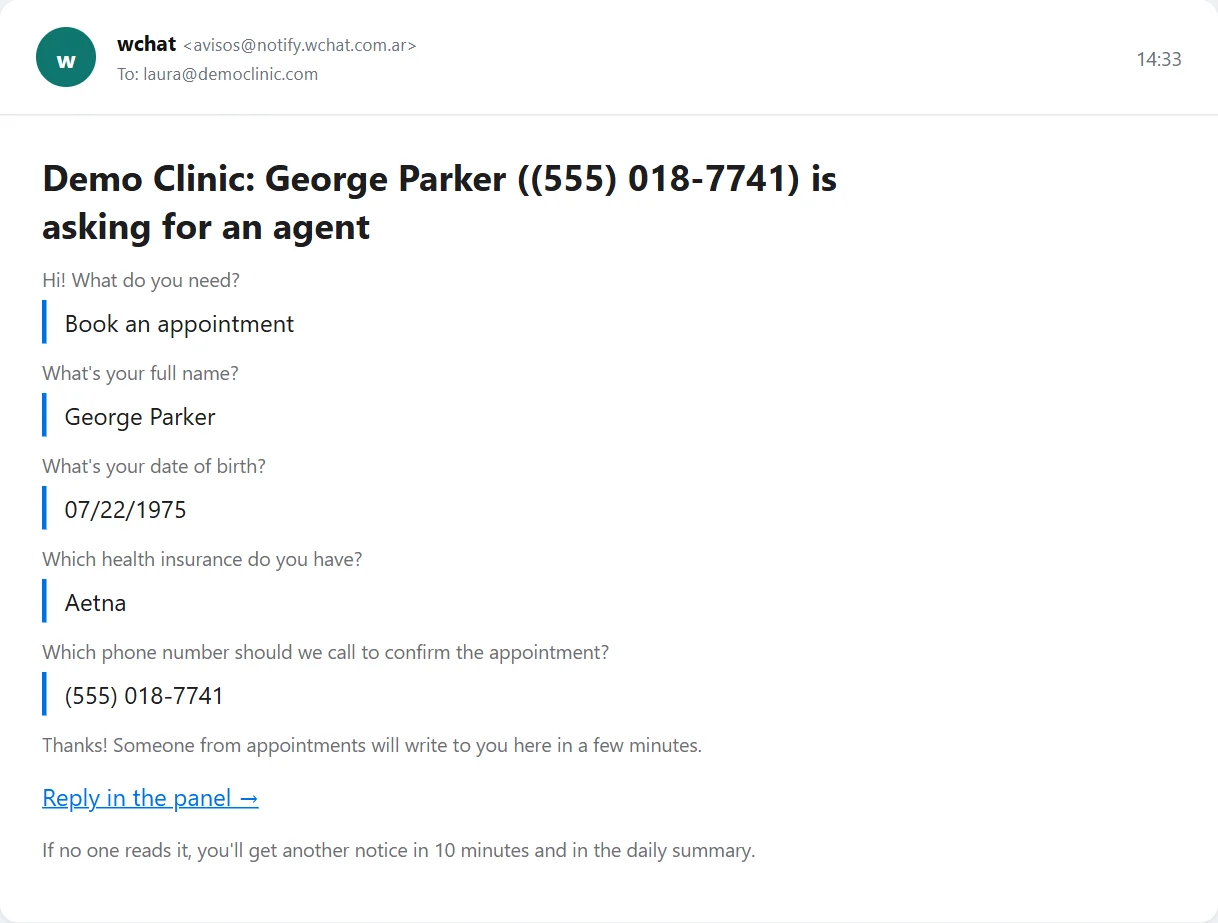
  • Instantly, when a visitor starts talking to a person or the automatic flow hands them off.
  • After 10 minutes, if there are messages no one has read. If someone is already replying live, it isn't sent.
  • One notice per batch, not one per message: it isn't repeated until someone reads the conversation.
  • A daily morning summary of everything still unread.
  • Each user chooses whether to get notices, and gets them in their own language.
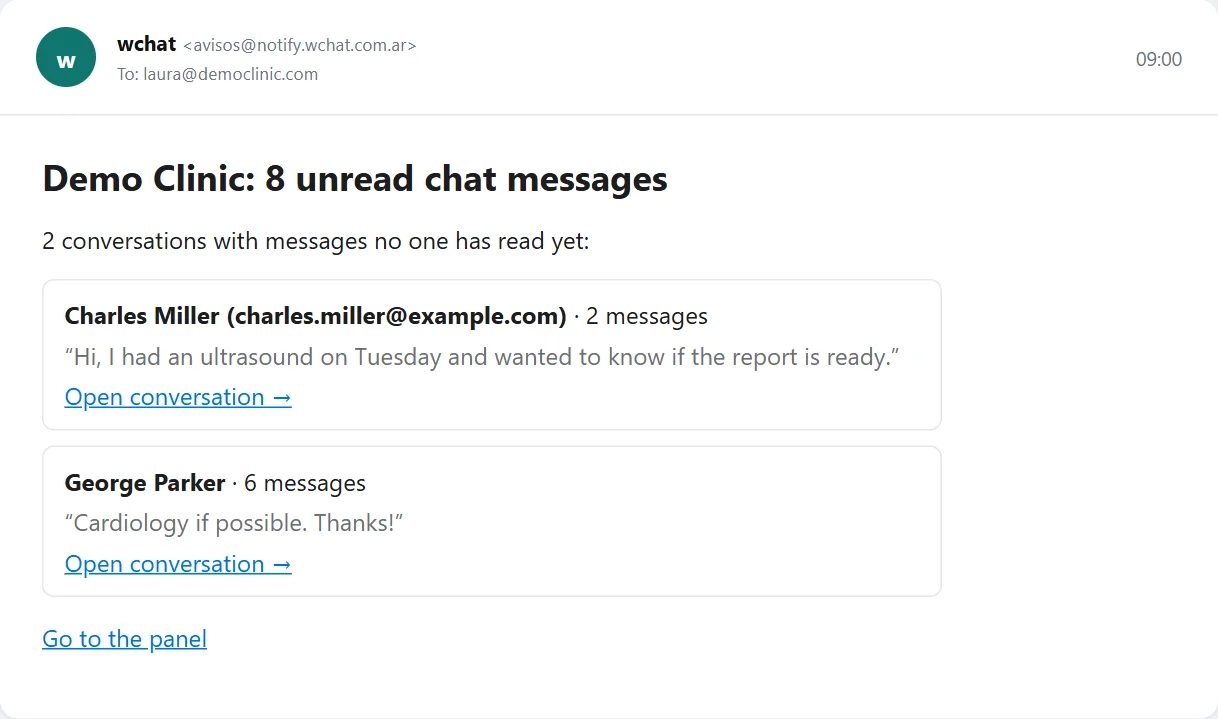
Instant notice email with the visitor's answers Daily summary email of unread messages

Instant onboarding by invitation

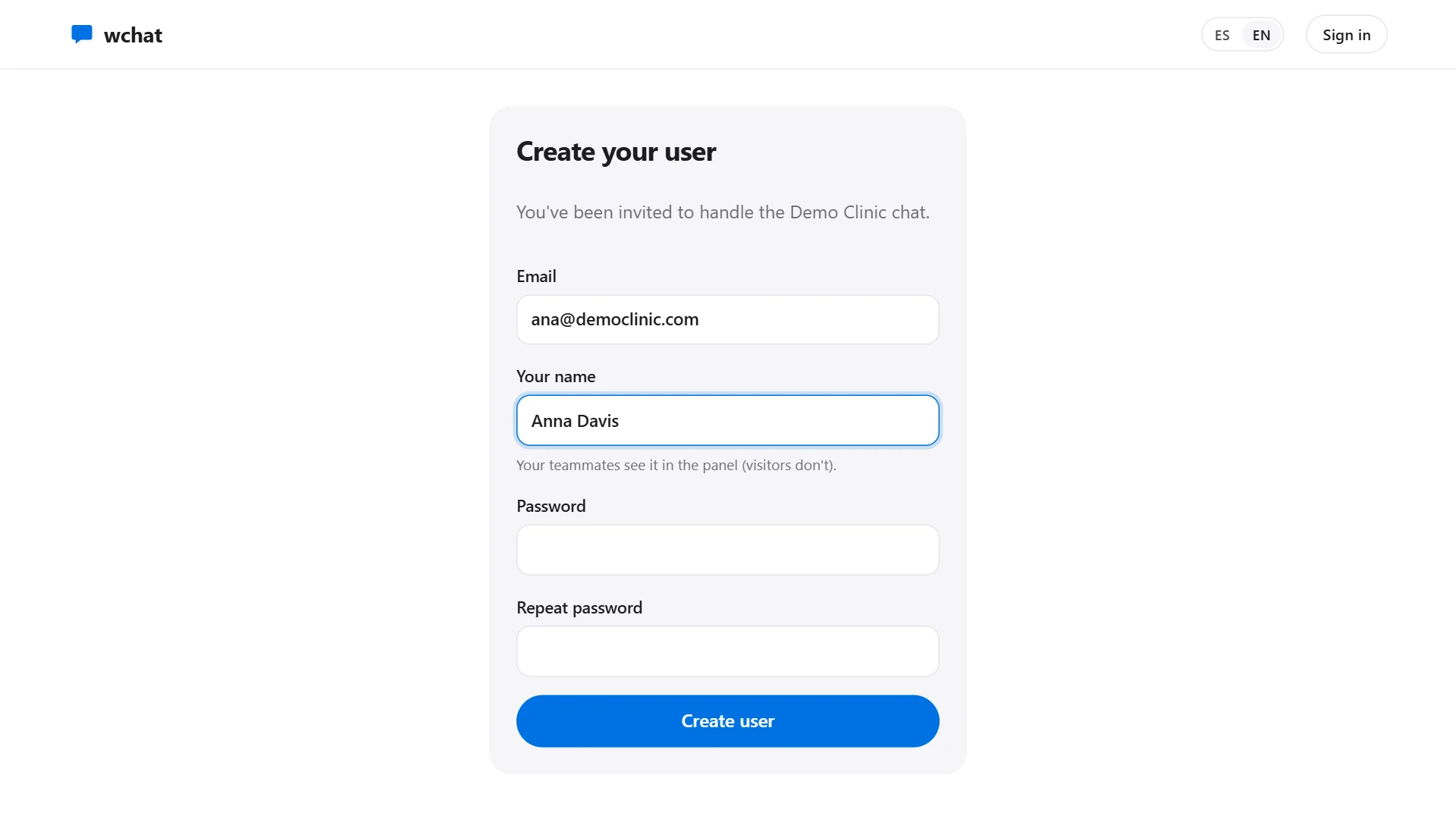
To add someone to the team, the administrator types their email. They get a link, choose a password and they're answering chats right away: no sign-up forms, no waiting.
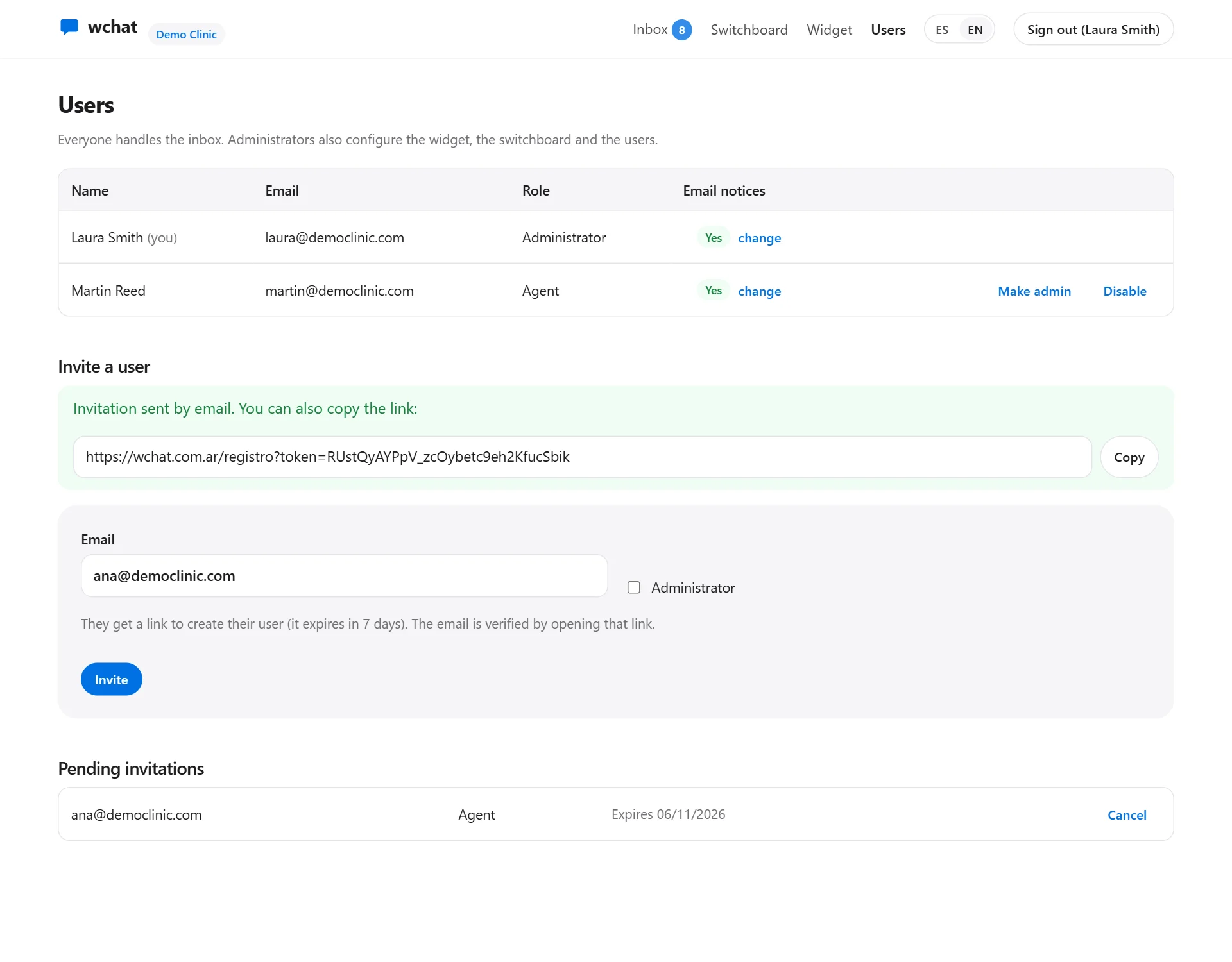
  • Opening the link verifies the email; it expires after 7 days.
  • Two roles: agent (handles the inbox) and administrator (also configures the chat and the users).
  • Disabling a user cuts off their access immediately.
Panel users and a sent invitation Creating the user from the invitation link

A chat that fits your site

Title, color, subtitle, welcome message, corner and margins, language and tone of voice are changed from the panel and show up on the site right away.
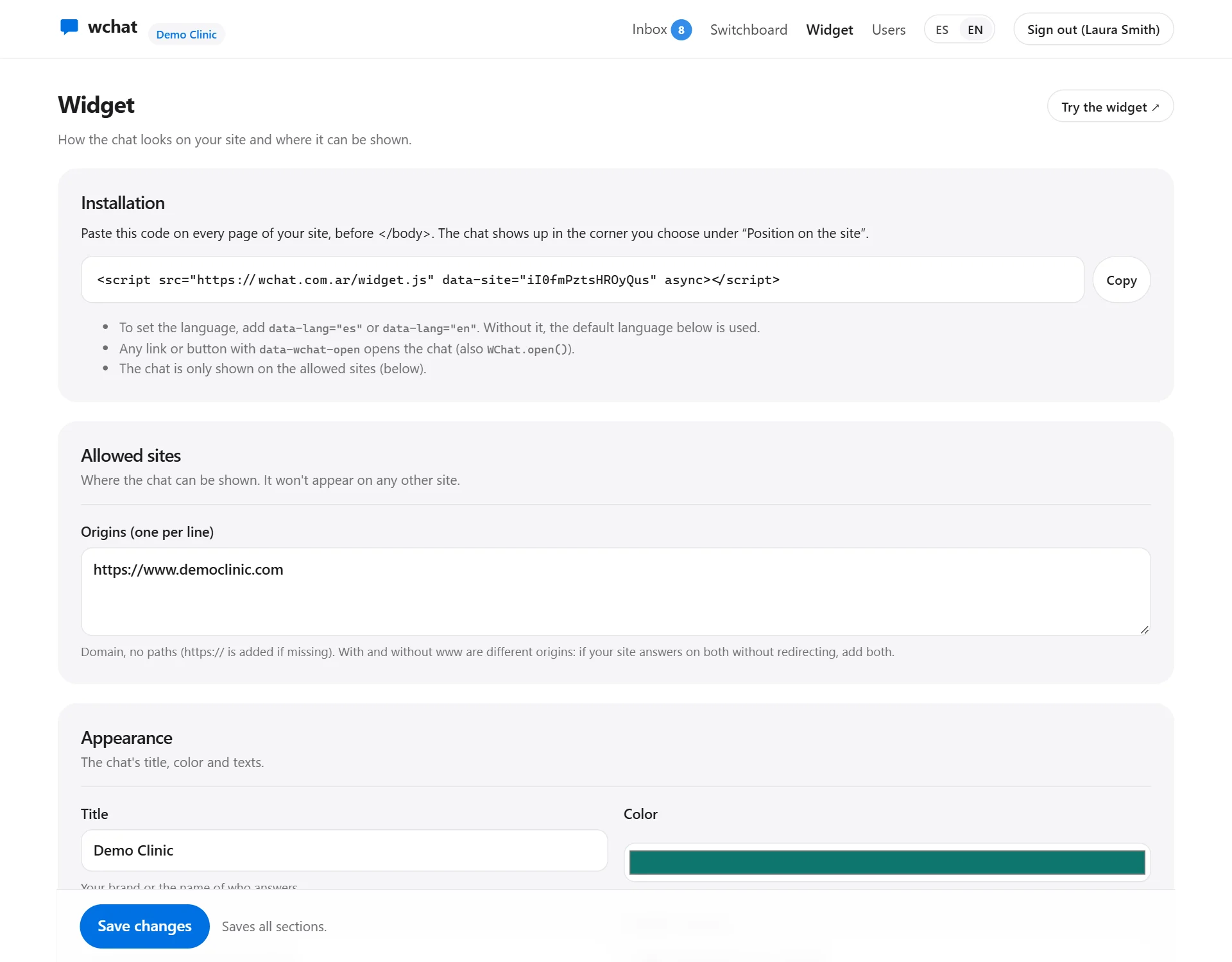
  • It only shows up on the domains you authorize.
  • Any button on your site can open the chat.
Widget settings: installation, allowed sites and appearance

Screenshots from a demo installation; all data is fictitious.

How we run it

How we deploy our own applications

This site and our chat platform run on a Linux server we manage ourselves. Every approved change reaches production on its own, in a few minutes and with no manual steps.

From commit to production

  1. 1 Push to main The approved change is pushed to the repository.
  2. 2 GitHub Actions The workflow starts on its own. Documentation-only changes don't deploy.
  3. 3 Build Our own runner, inside the server, restores dependencies, builds and publishes.
  4. 4 Swap and restart Files are replaced, the service is restarted and checked to be up and running.
  5. 5 On startup The database updates itself and search engines are notified of the pages that changed.

Architecture

Internet Visitors and search engines

Linux server in the cloud

Firewall Only HTTP, HTTPS and SSH open.
Nginx Reverse proxy with HTTPS; certificates renew themselves.
Application 1 .NET 10 as a system service, on an internal port Database and keys outside the deploy folder
Application 2 .NET 10 as a system service, on an internal port Database and keys outside the deploy folder
Application 3 .NET 10 as a system service, on an internal port Database and keys outside the deploy folder
GitHub Actions runner Its own unprivileged user: it can only stop, start and check its services.

Infrastructure

  • Several applications on the same server, isolated by service and port.
  • Services restart on their own after a failure or a server reboot.
  • Data lives outside the publish folder: a deploy never overwrites it.
  • A script sets up a new application (folders, service, permissions, Nginx and certificate) and can be re-run safely.

Security and operations

  • Secrets aren't in the repository: they're service variables only the administrator can read.
  • Least privilege for automated deployment.
  • In applications with users, a deploy doesn't close sessions or break open forms.
  • Per-IP limits on login and forms, and centralized system logs.

After every deploy

  • Database migrations are applied on startup.
  • The sitemap reports the real last-change date of each page.
  • Bing and other search engines are notified via IndexNow, only of pages whose content changed.
  • A redeploy is one click away, with no code changes.

Approach

A clear, predictable process

  1. 1

    Initial meeting

    20 minutes. We review the context and tell you whether we can add value, and how.

  2. 2

    Technical assessment

    Analysis of code, databases and architecture. You receive a report with findings prioritized by impact and effort.

  3. 3

    Incremental plan

    Scoped deliveries with measurable results from the first weeks, without high-risk rewrites.

  4. 4

    Delivery and handover

    Complete documentation and knowledge transfer to your team, so you are not tied to a single vendor.

FAQ

What companies usually ask

Does it fully replace WhatsApp?

Not necessarily. The usual approach is to move website customer service to your own chat, and keep WhatsApp for customers who prefer it. The transition is gradual.

What needs to be installed?

Just one line of code on the pages where you want the chat to appear. Everything else (appearance, texts, automatic replies, users and notices) is configured from the wchat panel.

Where are conversations stored?

On wchat's servers. Your team can access the full history from the panel.

Can it integrate with our systems?

That's the next feature: the chat will be able to query your ERP, CRM or booking system via API. If your case needs it, contact us to assess it.

How much does it cost?

After an initial meeting you receive a proposal for your case. There is no per-message cost.

How long does implementation take?

Installation takes minutes: the account is created, the code is pasted on the site and your team can start answering. Automatic replies can be set up later.

Who is behind it

I have been developing software for over 20 years, at large corporations, small and mid-sized companies and startups: logistics, automotive, public sector, finance and telecom, with clients in Argentina, the United States and Europe. Beyond development, I have worked on databases, server administration, DevOps on Google Cloud, telephony and low-level hardware integrations. That end-to-end view —code, data, servers and integrations— lets me propose, in each company, the solution that best fits its problem. Every Bennu IT project goes through my technical review, whoever works on it.

First step

Book a meeting

A 20-minute meeting that provides:

  • An assessment of your requirements
  • Proposals with scope, timelines and costs

See all solutions from Bennu IT →

Request a meeting

No commitment. Your information will only be used to respond to this inquiry.

Protected by Google reCAPTCHA: Privacy · Terms